Introduction
Hello, everyone. My name is Analise Suzuki, and I am the COO of Elysium in the Americas. Today I am going to talk about digitalization and how we connect engineering and manufacturing through a model-based enterprise. The objective is not only to create rich product data, but also to make sure that data is trustworthy, reusable, and delivered in the right form for every downstream—or upstream—need.
Connecting Engineering and the Product Lifecycle
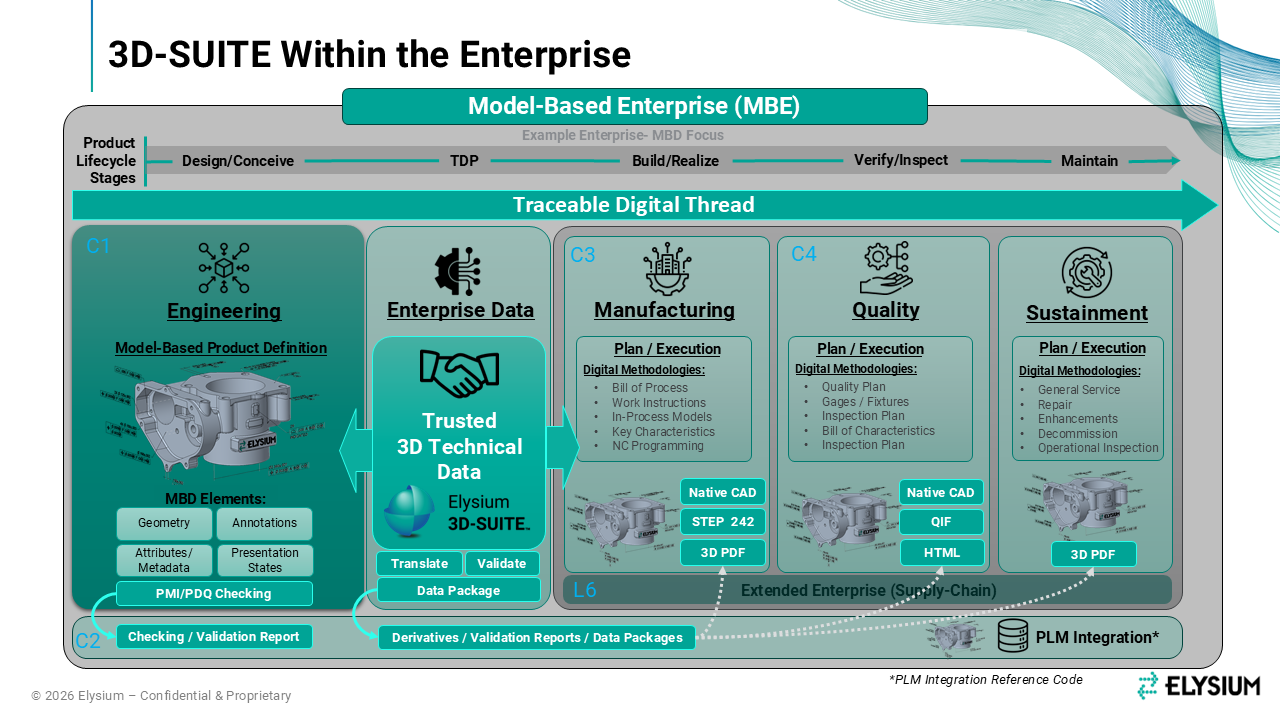
When we look at a model-based organization, there are multiple stages across the product lifecycle that depend on a shared digital definition. Engineering creates that definition using geometry, annotations, attributes, metadata, presentation states, and product characteristics. Then manufacturing, quality, sustainment, and other domains consume that same rich data. Those consumers can be inside your organization, outside it in the supply chain, or a combination of both.
So where does Elysium’s 3D-SUITE fit? It sits between engineering and the domains that need to reuse engineering data. We are really trying to answer three practical questions: Is the data ready? Can it be shared? And what is the best way to share it for the intended use? The same questions apply to upstream deliverables that you may need to send to your customers.
We start by checking that the source is complete, trustworthy, and at the quality level you require. Then we can optimize the data for specific use cases by translating and validating it. Finally, we serve it as a data package. That might be a STEP AP242 model for manufacturing, QIF for inspection or quality, or a visual format such as HTML, 3D PDF, or JT. In many cases, the package combines several formats because different consumers have different needs.
Checking, Translating, and Validating the Data
On the checking side, we can look at geometry and detect issues that would prevent reliable sharing or reuse. We can check PMI compliance, identify annotation problems, and review alignment with ASME or ISO requirements. We can also look at manufacturability and assembly conditions, including interference, holes, and fasteners. In addition, we can identify design risks such as sharp edges, undercuts, thin walls, and related conditions.
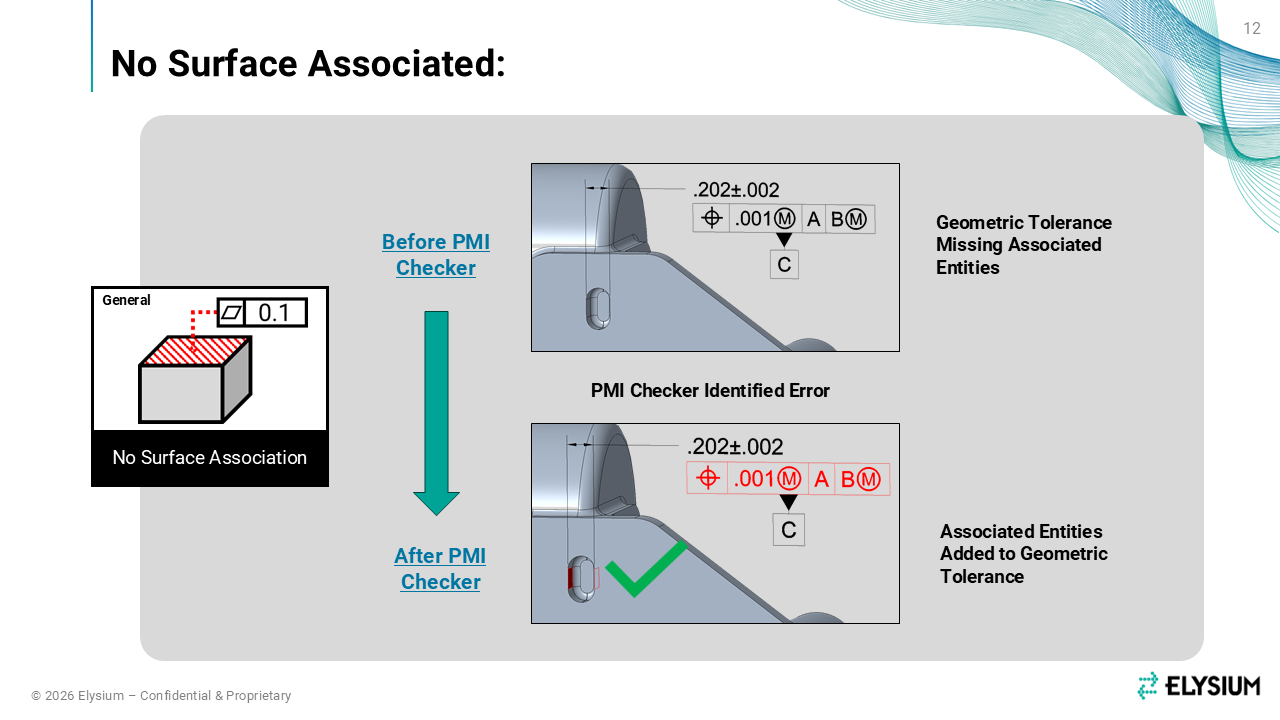
Let me show you one example. You may have PMI that is visibly defined, but the associativity to the geometry is missing. PMI Checker can flag an annotation that does not actually reference anything, so you can correct that issue before the model is reused. Once it is repaired, the PMI becomes usable in the next process.
From there, we can translate a broad range of formats, including native CAD as either the source or the target. Standard formats are becoming increasingly important for Industry 4.0 because they give us a consistent way to exchange model-based data. We can also work with other specialized formats when a particular workflow requires them.
Whenever we translate model-based data—especially annotations, attributes, and machine-readable information—we need to validate it. Standards and CAD systems continue to mature, so we should never assume that a translated model is automatically ready for reuse. This becomes especially important when the derivative will be treated as an authoritative data set for another process.
What we do is compare the derivative with its source and identify differences in geometry and PMI, both graphically and semantically. We can also compare presentation views and, for assemblies, the product structure. Then certification records that the validation met the required criteria and supports compliance with the applicable standards.
Packaging and Demonstrating the Deliverables
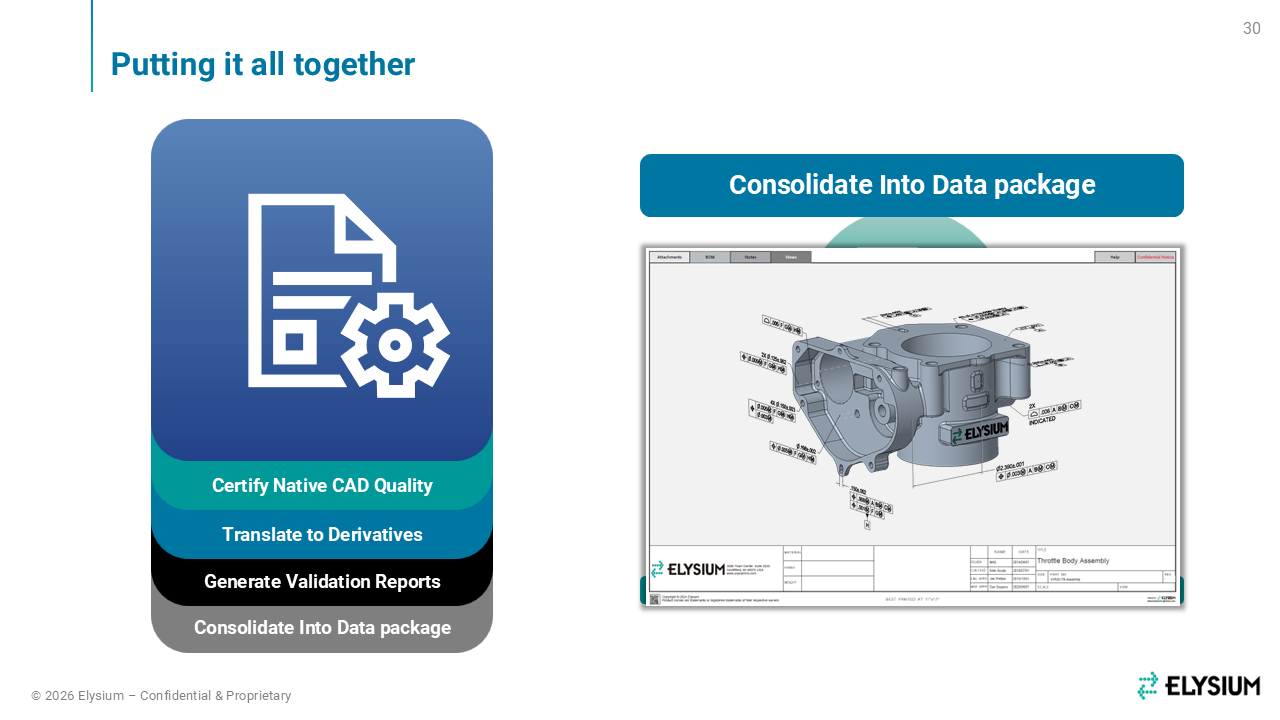
Once we have checked, translated, and certified the data, we can bring the resulting artifacts together in a lightweight package for viewing and exchange. The viewing layer might be 3D PDF, HTML, or JT, while still retaining the engineering entities we have been discussing. Because all this work is performed within 3D-SUITE, we can use the same architecture to assemble those artifacts in the container that best fits the recipient.
In this first example, I am using a 3D PDF to present a bill of characteristics. That information may originate in the source CAD system or in QIF. You can see that the characteristics are itemized and connected to the graphical view, so when I select PMI, the relevant detail appears. Patterned characteristics can be automatically instanced; for example, characteristic 5 may appear as 5.1 and 5.2. That gives inspection users the level of detail they need. They can also navigate the model views and display notes as required.
We can also include attached STEP and QIF files for additional use cases, together with an Excel inspection report populated from the same source content. In this demonstration, I am using an AS9102C template, but the template can be configured to meet your specific requirements.
In the second example, the PDF serves as the container, while the 3D model is delivered in HTML for more performant viewing. The package includes title-block content and a list of artifacts that users can open or download. From the PDF, I can launch the model in 3D HTML, navigate the views, review title-block information and attributes, inspect an assembly parts list, and click through the PMI.
One HTML capability I want to point out is semantic query. If I select a face, the system automatically brings up the PMI associated with that face. That helps users gather the relevant information as they interrogate the model.