
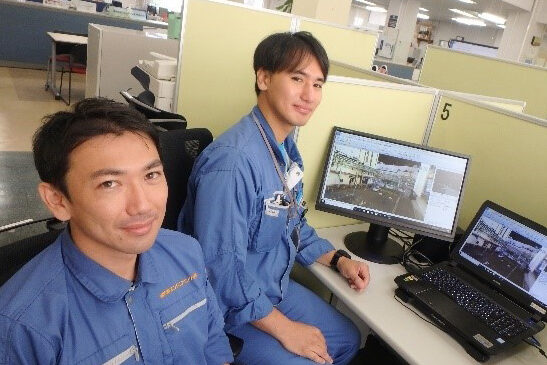

Turn laser-scanned point cloud data into a clean as-built 3D base model for plant engineering—including piping and facility layouts—then continue detailed design in Autodesk Revit and other CAD and BIM authoring tools.
Auto-extract Pipe and Planar Features
from Point Clouds
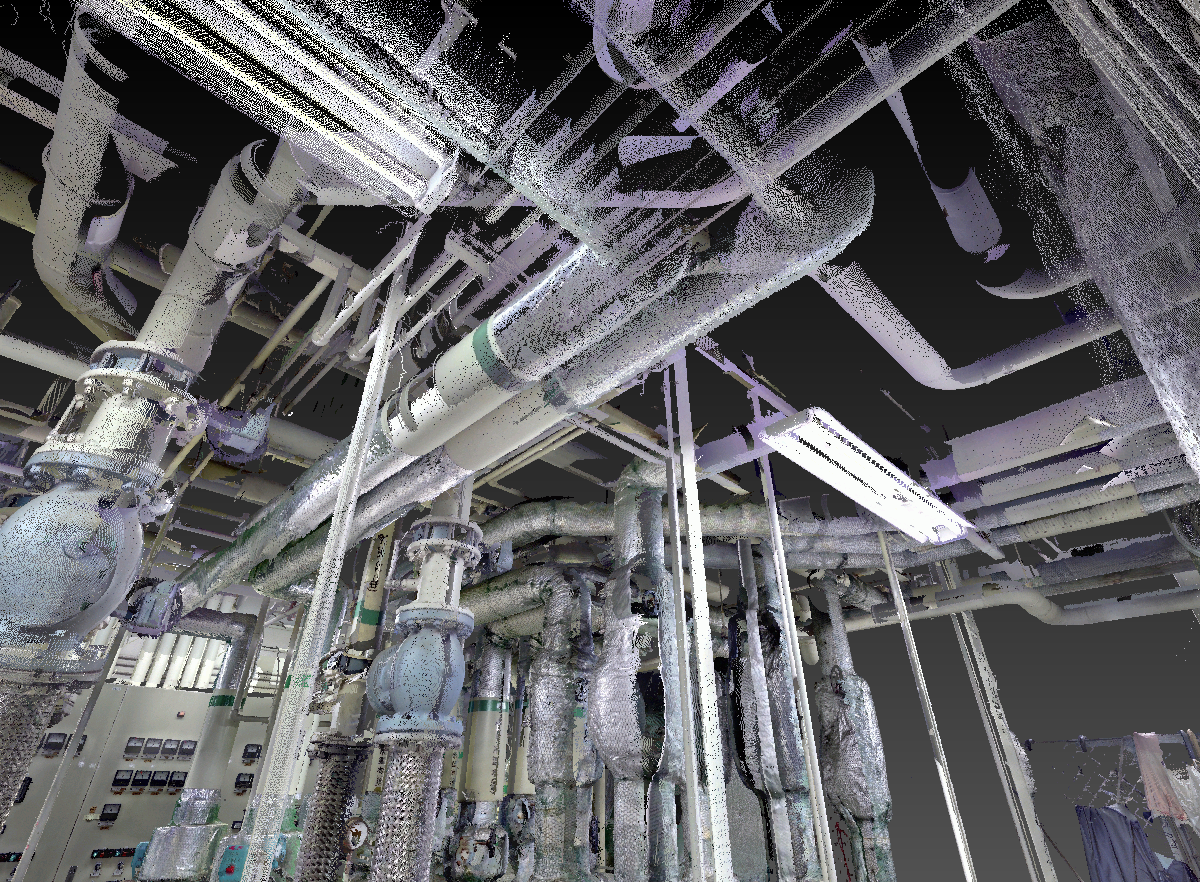
InfiPoints converts raw point cloud data into structured 3D geometry for plant and facility engineering—pipes and key planar surfaces—so teams can model faster, reduce rework, and move into downstream CAD with confidence.
Pipe Extraction (Cylinders)
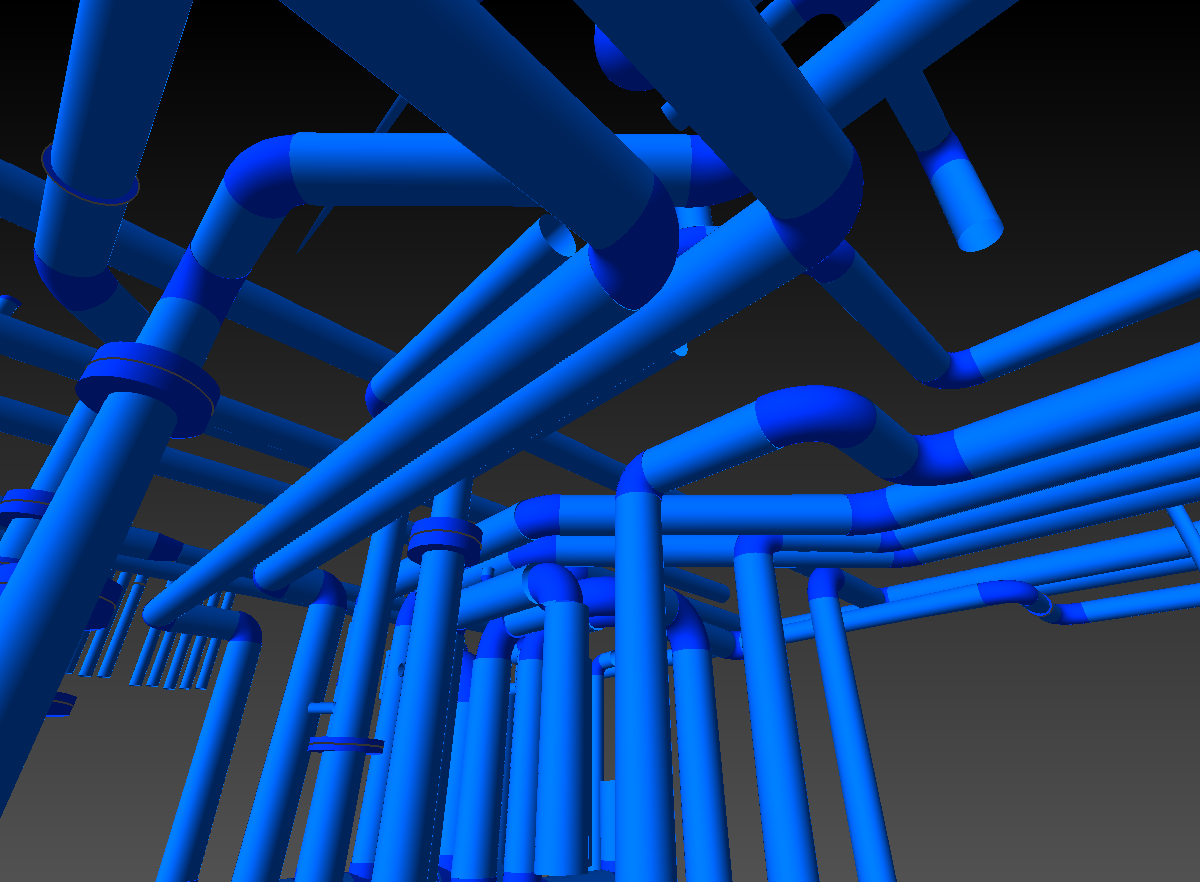
- Automatically detects and converts approximately 70% of piping in point cloud data into cylinder-based 3D geometry
- Connects extracted pipe runs and supports replacement with standard pipe specifications, reducing manual tracing and rework in downstream CAD and BIM tools
- Produces a practical, modeling-ready piping foundation you can refine and detail in your target system
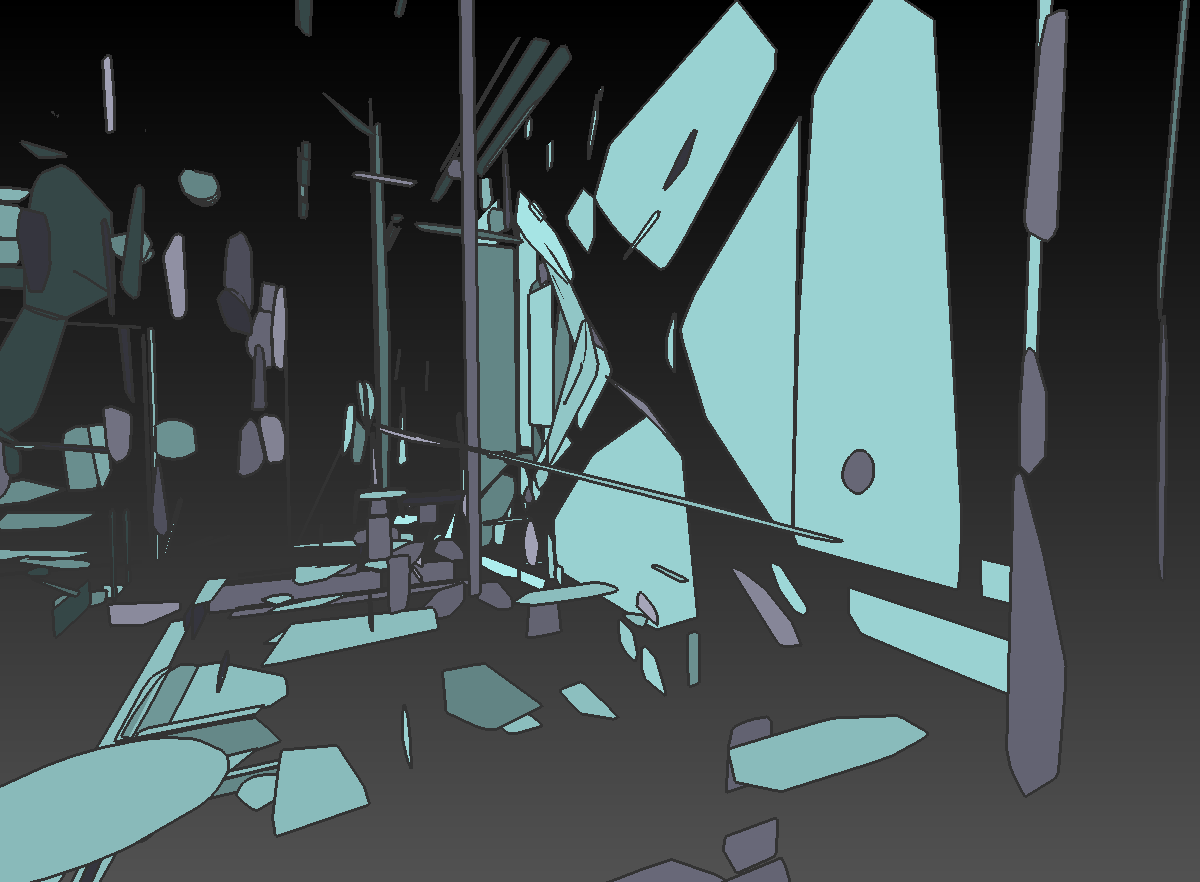
Plane Extraction (Planar Features)
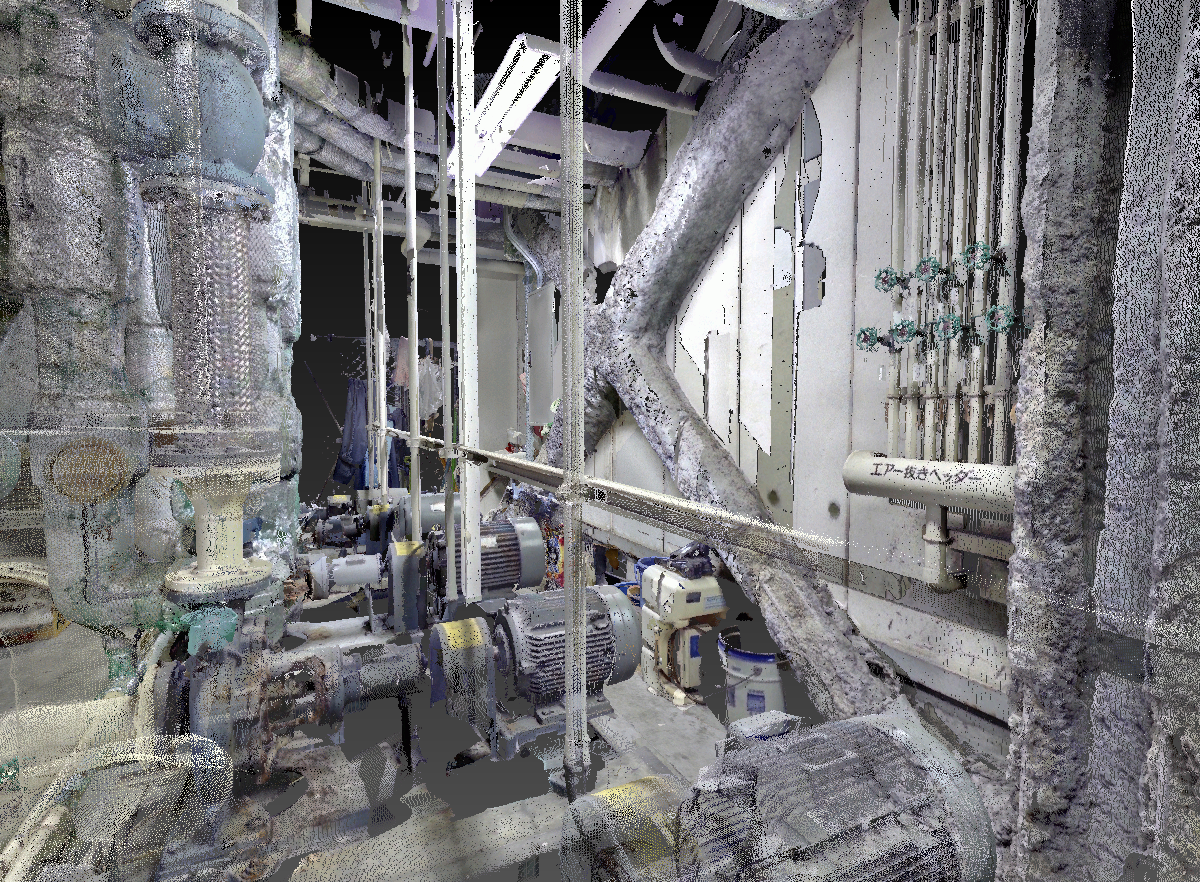
- Extracts planar surfaces that become a reliable base for modeling structural walls, floors, and ceilings
- Supports facility modeling such as duct routes, steel structures, equipment platforms, and other site components
- Helps establish correct positions and alignments early, improving consistency across the project
Create Simple CAD Models Using Cylinders and Planes
Once pipe and planar primitives are in place, the modeling workflow becomes straightforward:
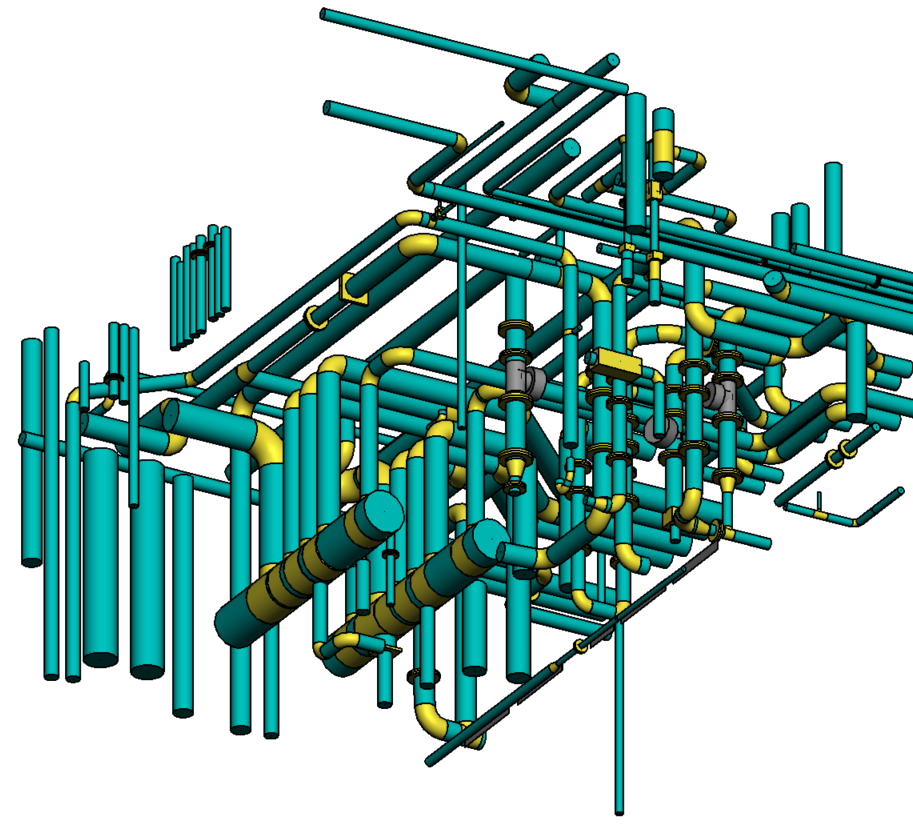
- Build a clean layout by connecting pipes with elbows and fittings and shaping ductwork and structural steel from extracted planes
- Place equipment and systems in accurate real-world coordinates derived from the scan
- Deliver a practical, structured 3D base model that your team can import into Autodesk Revit and other CAD and BIM authoring tools for final detailing and documentation
Watch InfiPoints’ 3D Modeling in Action
Piping
Walls, Floors, and Ceilings
Structural Steel
Ductwork
InfiPoints Named Runner-Up at Shell.ai Futures Pitch 2025
Elysium’s InfiPoints was named Runner-Up at the Shell.ai Futures Pitch 2025. The program is a competition where technology companies collaborate with Shell, a global energy company, to present innovative solutions for future energy systems. InfiPoints was recognized for demonstrating a solution that uses advanced technology to segment point cloud data into functional clusters, enabling more efficient use of scan data for scan-to-BIM workflow. Following this recognition, Elysium will move forward with Shell on a Proof of Concept (PoC) aimed at maximizing the value of digital twins through practical implementation.

Use InfiPoints Models Directly in Your CAD/BIM Authoring Tools
CAD models created in InfiPoints transfer smoothly to your CAD and BIM authoring tools, so your team can start from a structured 3D base model instead of modeling piping, ductwork, structural steel, and equipment from scratch.
Reduce Lead Time with a Scan-to-Model Workflow
Before
After
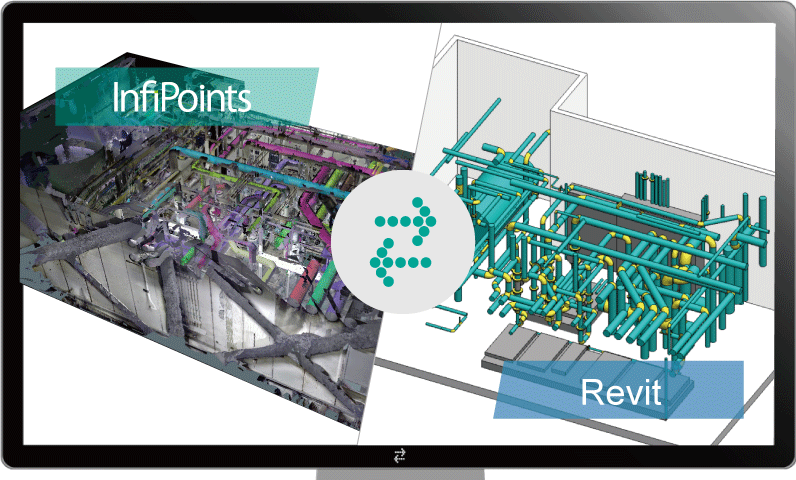
Effective Collaboration with Autodesk Revit
InfiPoints delivers CAD models to Revit in an editable format, helping your team accelerate detailed design while preserving alignment to real-world coordinates.
More Reasons to Choose InfiPoints
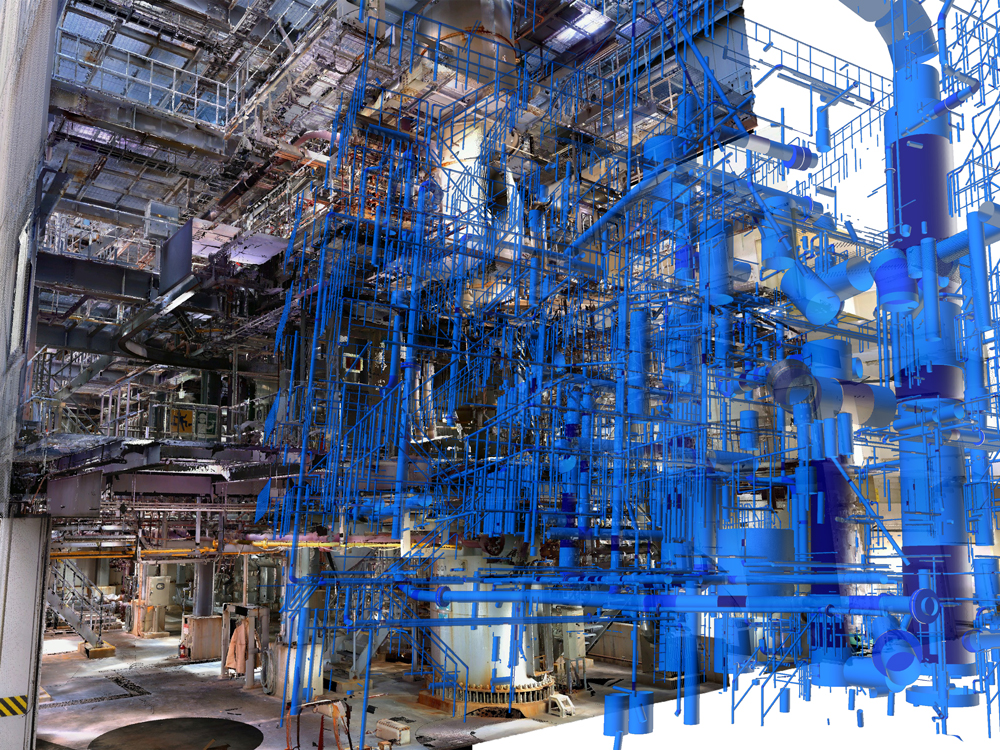
High-performance Handling at Any Scale
Work smoothly with massive scan datasets for large buildings, plants, and construction sites.
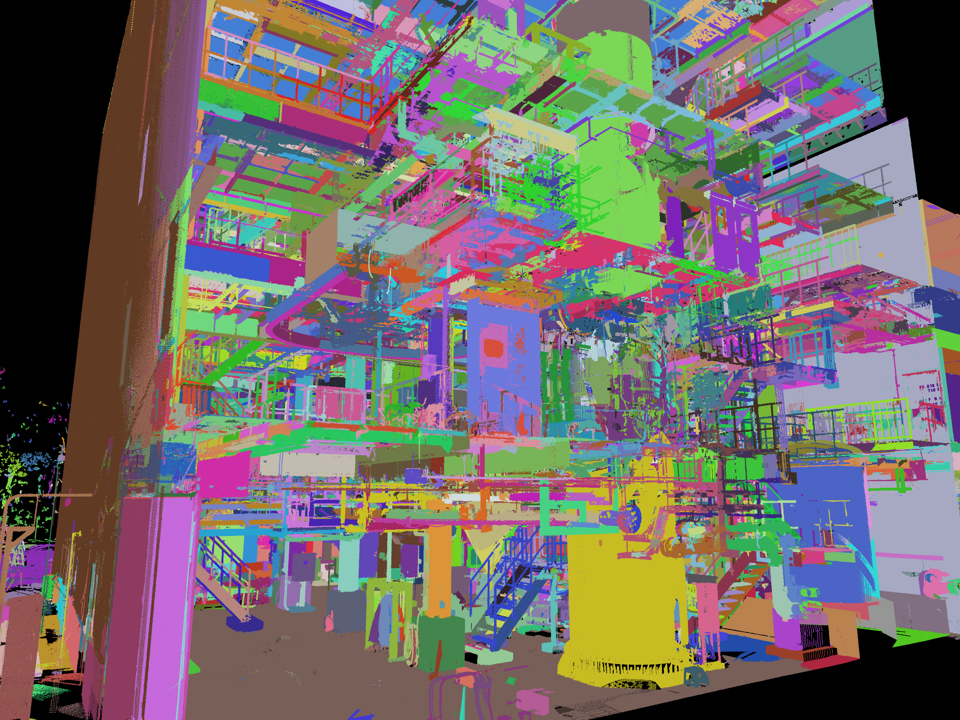
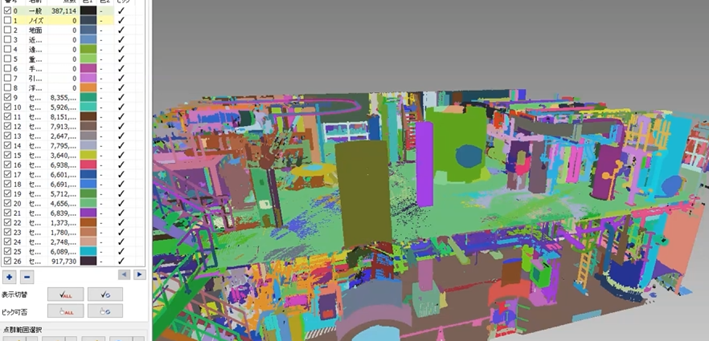
Automatic Point Cloud Segmentation
Automatically classify point cloud data into functional segments to accelerate downstream modeling.

Collaboration with Viewer, VR and Cloud
Share point cloud data and results across teams and locations using Viewer, VR, and cloud-based access for efficient reviews.
New
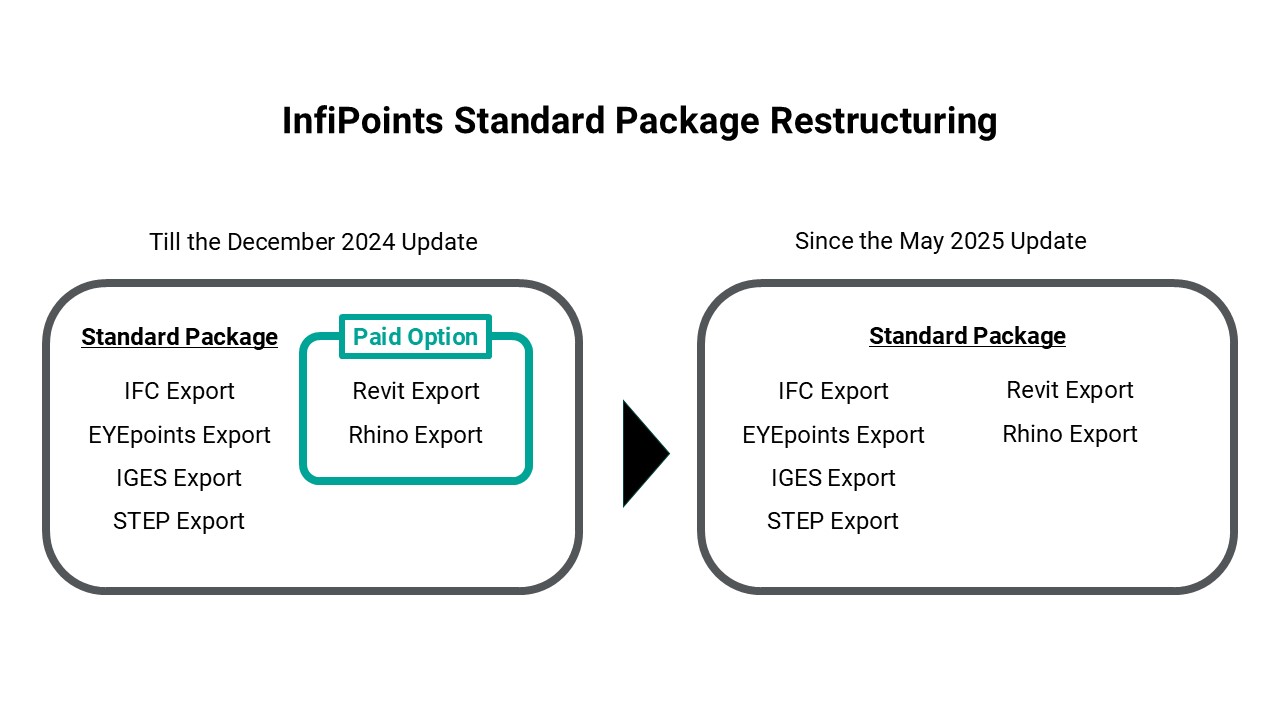
InfiPoints Standard Package Now Includes BIM Export To Enhance Scan-to-BIM Workflows
With the May 2025 release, we are restructuring the InfiPoints Standard Package to include BIM export functions—previously available as paid options. This update aligns with our commitment to streamlining engineering workflows and making point cloud data utilization more accessible across industries.
New
Point Cloud Auto-segmentation To Classify Points into Functional Segments
In the InfiPoints May 2025 Update, we provide two powerful new features designed to dramatically improve how engineers work with massive point cloud datasets: automatic segmentation and textured polygon generation. These capabilities make it faster than ever to extract functional components and generate simulation-ready models directly from your laser-scanned point cloud data.
Key Capabilities of InfiPoints
Data Import and High-Performance Viewing
Import Large Point Cloud Datasets
Work with very large laser-scan point clouds while keeping viewing and editing responsive.
Work with very large laser-scan point clouds while keeping viewing and editing responsive.
Navigate Large Sites Smoothly
Work on high-density scans from plants, facilities, and construction sites interactively.
Supported Scanners
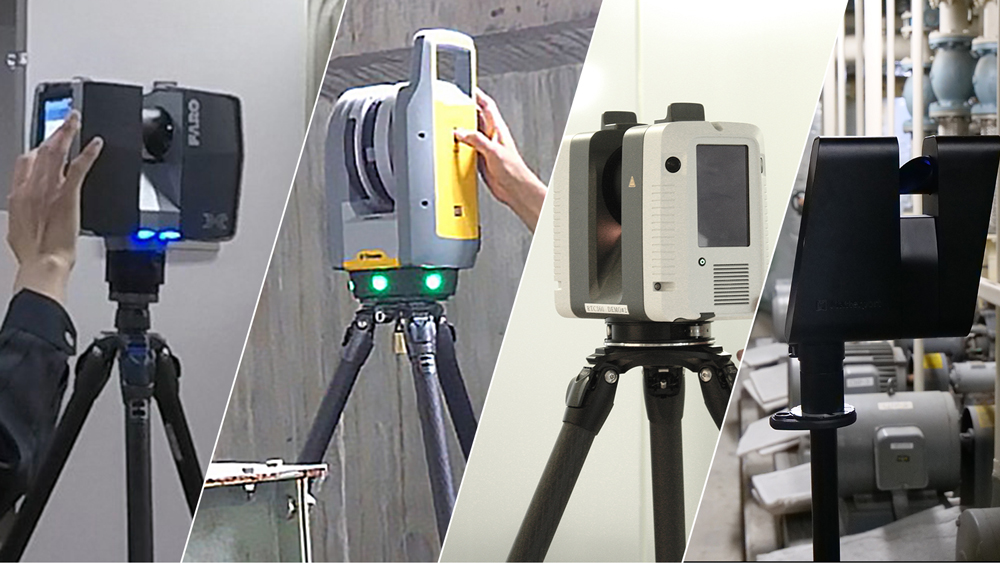
Import point cloud data from major reality-capture systems, including tripod laser scanners from FARO, Leica, Pentax, Riegl, Topcon, and Z+F, as well as mobile mapping systems (MMS), including handheld and wearable systems, such as NavVis and DotProduct. InfiPoints also imports point clouds generated from SfM (Structure from Motion) workflows using UAV imagery.
Point Cloud Pre-processing
Pre-process Scan Data Faster
Prepare point cloud data for modeling using practical tools—such as automatic scan registration and automated noise reduction—so you can move from scan data to modeling faster.
Prepare point cloud data for modeling using practical tools—such as automatic scan registration and automated noise reduction—so you can move from scan data to modeling faster.
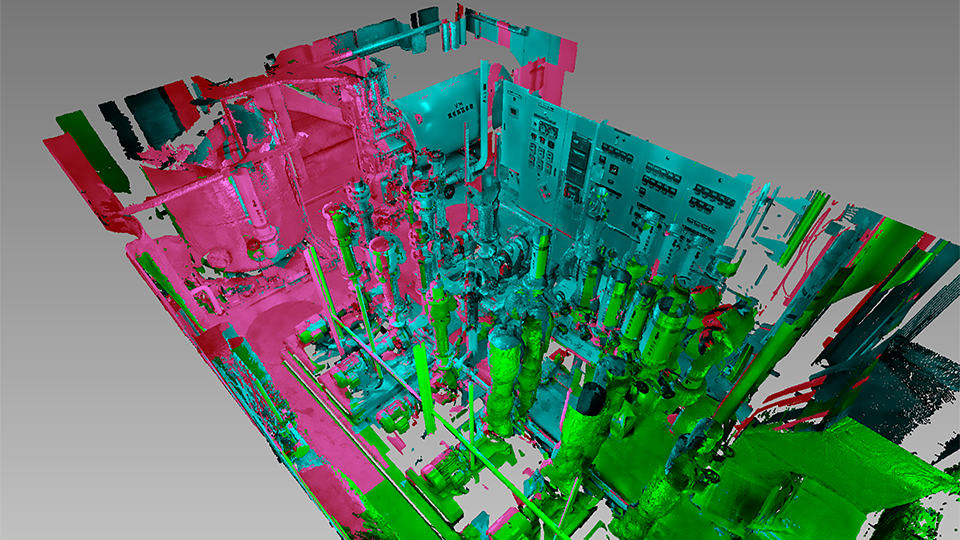
Reigtser Scans Automatically
Align multiple scans quickly and accurately using markers, survey/control information, and extracted planar features.
Remove Noise
Automatically remove unwanted noise created during scanning and registration, moving objects such as people and vehicles to produce a cleaner as-built dataset.
Extract Planes and Cylinders
Extract key plant and facility features—such as walls, floors, ceilings, and piping—as planes and cylinders. This enables reliable referencing and measurement based on extracted features, supporting consistent downstream modeling.
Optimize Point Cloud
Reduce point cloud data size by thinning point density using user-defined intervals. This keeps datasets easier to handle while preserving practical accuracy and visual clarity.
Analysis
Analyze As-Built and CAD Data
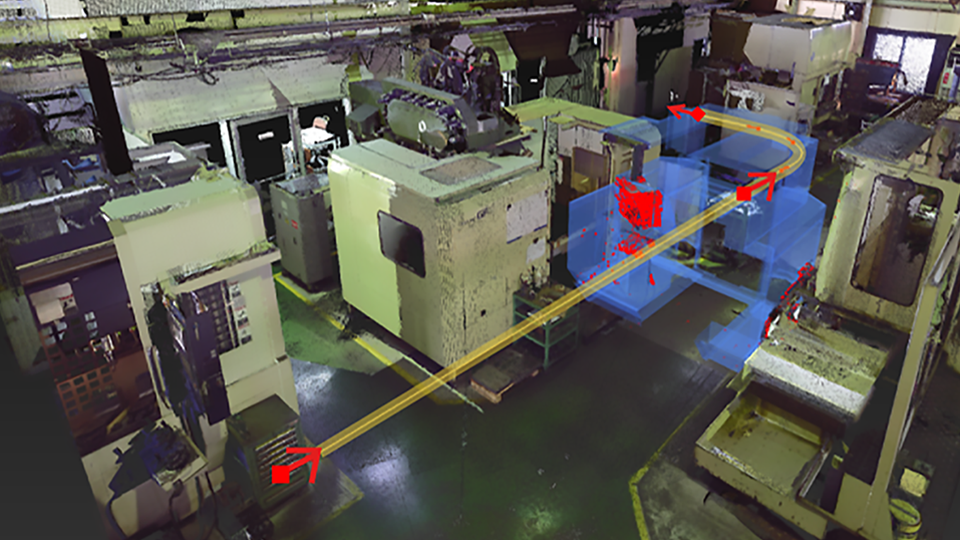
Analyze point clouds and CAD data for planning and verification—such as routing studies for equipment carry-in and carry-out, checking spatial constraints, and validating as-built conditions.
Analyze point clouds and CAD data for planning and verification—such as routing studies for equipment carry-in and carry-out, checking spatial constraints, and validating as-built conditions.
Measure Accurately in 3D
Measure distances between any two points, as well as distances and angles between extracted planes and cylinders.
Detect Collisions
Run real-time collision detection while placing or manipulating CAD models within the point cloud environment.
Validate As-built vs. CAD
Detect differences between as-built scans and CAD models. This helps monitor deviations, track changes over time, and verify planned versus actual conditions during or after construction.
CAD Modeling
Create CAD Models from Point Clouds
Create a modeling-ready 3D base model from laser-scan point cloud data to reduce manual modeling and replace many on-site measurements with accurate 3D measurements. Created models can be exported with editable, practical parameters (such as lengths and diameters) for further refinement in CAD and BIM authoring tools.
Create a modeling-ready 3D base model from laser-scan point cloud data to reduce manual modeling and replace many on-site measurements with accurate 3D measurements. Created models can be exported with editable, practical parameters (such as lengths and diameters) for further refinement in CAD and BIM authoring tools.
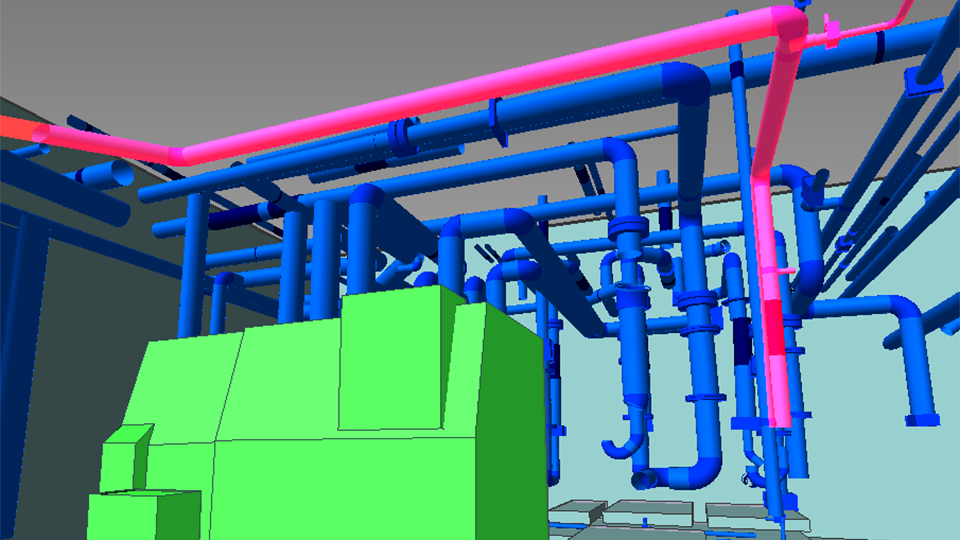
Model Piping, Equipment, Structural Steel, and Ductwork
Use extracted cylinders and planar features to accelerate modeling of piping systems and facility components. This supports downstream workflows such as detailing, documentation, and drawing creation in CAD/BIM authoring tools.
Generate Meshes
Generate meshes from specified point clouds and export in common polygon formats such as STL, VRML, and OBJ.
Continue detailed design in Revit (Revit Plug-in)
Bring InfiPoints-generated models—such as piping, ductwork, structural steel, and equipment—into Autodesk Revit for detailed modeling and documentation.
Outputs and Sharing
Create Deliverables for Review, Communication, and Handover
Export high-resolution images, videos, and viewer packages to enhance communication across teams and stakeholders.
Export high-resolution images, videos, and viewer packages to enhance communication across teams and stakeholders.
Point Cloud Video Output – Fly-through Video Sample
Review in VR
Create VR-ready outputs for immersive site review and faster stakeholder alignment.
Share a Viewer Package
Distribute a self-contained viewer package that stakeholders can open without installing InfiPoints.
Create Fly-through Videos
Create high-quality fly-through videos from point cloud data efficiently—even for large datasets.
Export Ortho Images
Export high-resolution, scaled ortho images for measurement printouts or for drawing workflows.
Process and Share Large Datasets in the Cloud (InfiPoints Cloud)
Accelerate processing of massive point cloud datasets and share securely across teams.
How To Try InfiPoints
Quick Trial with Sample Data
Try key InfiPoints workflows using sample datasets.
| InfiPoints Viewer File | Review point clouds and the generated models, and try virtual dimensioning, virtual analysis, and more (no installation required). |
| Revit File | Verify model transfer and continue detailing in Autodesk Revit. |
| InfiPoints Viewer File for VR | Conduct an immersive site review of the point cloud in VR (computer + VR headset required). |
Full Product Trial
Try InfiPoints with full functionality using your own data.
- 1-month free trial
- Full functionality for real project workflows (scan-to-model, exports, validation, and outputs)
FAQ
What are the recommended system requirements for InfiPoints?
InfiPoints is designed to handle large point cloud datasets, so we recommend a workstation-class computer with a high-performance CPU and GPU (graphics card). For detailed requirements and recommended specs, please see the Recommended System Requirements section in the Product Configuration page.
What types of scanners does InfiPoints support?
InfiPoints works with point cloud data captured by major scanner vendors, including tripod laser scanners such as FARO, Leica, and Trimble, as well as mobile mapping systems such as NavVis VLX—as long as the exported data format is supported.
In practice, compatibility depends on the input point cloud file format, not the scanner model itself. Please see the Supported Import/Export Formats section in the Product Configuration page for supported formats.
Which CAD/BIM software can I use with InfiPoints?
You can transfer models created in InfiPoints to CAD and BIM authoring tools such as Autodesk Revit for detailed design and documentation.
Compatibility depends on the output file format required by your target software. Please see the Supported Import/Export Formats section in the Product Configuration page for supported export formats.
What type of license does InfiPoints use?
InfiPoints uses a floating license model.
You set up a license server, and InfiPoints can be used on computers within the same site that can connect to the license server over your local network (LAN).
Can I use InfiPoints on-site?
Yes. InfiPoints includes a standard capability to check out a license to a laptop or other computers for on-site use for a limited period (up to 30 days).
How can I get a quote or pricing for InfiPoints?
Pricing and licensing options depend on your usage and deployment requirements. Please contact us for a quote.
Is there a viewer available?
InfiPoints can export a viewer package for review and sharing. Viewer packages can be opened by anyone without installing InfiPoints, facilitating the collaboration with internal and external stakeholders.
Can I try InfiPoints before purchasing?
Yes. We offer a one-month free trial with full functionality (the same features as the commercial version).
If you would like to start a trial, please contact us.